Wheelie a Kukirin Escooter Simulator Getting Started Guide
From Ninebot F spawn to a confident Rare rider in your first sessions.
Welcome to the city
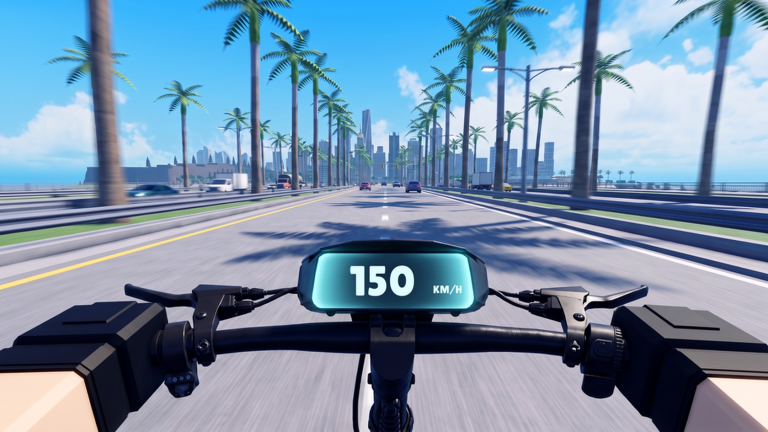
Wheelie a Kukirin: Escooter Simulator drops you into a free Roblox open world built around electric scooters. You earn Cash simply by riding, double that income while a wheelie stays up, and spend earnings on faster frames plus Pit Stop parts. This guide is the day-one path: tutorial → codes → first tunes → Rare scooter → a repeatable loop. Deeper mechanics live in sibling pages linked throughout.
If you have never opened the experience, launch it from the official Roblox page (Paragon Interactive Studio, universe 10769879410). Favoriting and liking the game helps signal demand for more scooters and patches.
Step 1 — Finish the tutorial
Complete every tutorial prompt. Finishing grants Rookie Rider and unlocks the real HUD. Do not skip prompts about mounting, braking, or the first wheelie attempt—those inputs match the Controls reference. You will also receive Welcome Rider just for joining.
After the tutorial you should be able to:
- Mount and dismount the starter Ninebot F
- Accelerate, brake, and steer without constant wall hits
- Open Settings and find the account/code panel
- Recognize Pit Stop and delivery markers on the map
Step 2 — Redeem every active code
Open Settings (gear on the left) → ACCOUNT → ENTER A CODE → REDEEM. Claim the November 2026 actives listed on the Codes Hub: TOUGEKING, RACEDAY, USUIPASS, WHEELIE, and KUKIRIN. Several include a 2x Cash (5 minutes) buff—save those timers for actual riding, not AFK standing.
Codes will not buy an endgame RGB bike alone, but they erase the awkward “broke on minute ten” feeling.
Step 3 — Learn a basic wheelie immediately
Wheelies are the core multiplier. Even a shaky three-second wheelie beats pure grounded cruising. Read How to Wheelie for balance detail, then practice on a Beach or Port straight. Goal for session one: a clean 10-second hold for Wheelie Pro on the Players badge list.
Tips for absolute beginners:
- Start the wheelie at moderate speed, not from a standstill.
- Feather the balance input instead of slamming it.
- Abort early rather than looping into traffic—Cash lost from a crash can exceed a short grounded stretch.
Step 4 — First Pit Stop visit
Find a Pit Stop and spend in this order:
- Small motor upgrade for acceleration and top speed.
- Tires for grip when you land wheelies.
- A cheap paint or wrap to unlock Make It Yours.
- Controller tweaks once motor/tires feel decent.
Full rationale lives in Pit Stop Upgrades. Avoid emptying your wallet on cosmetics before hardware.
Step 5 — Save for your first Rare scooter
Rare frames show blue LEDs, raise Cash/sec, and grant Rare Rider. Check the Tier List before impulse-buying a flashy common. If two Rares cost similar Cash, prefer the one with better listed speed and handling for Downtown traffic.
While saving:
- Keep wheelies up on every safe straight.
- Grab delivery jobs that sit on your natural path (Earn Cash Fast).
- Do not start five-star police chaos until you can outrun patrols on at least a tuned Rare.
District orientation
| District | Day-one use |
|---|---|
| Downtown | Jobs + short practice loops |
| Port | Long wheelie straights |
| Beach | Open sightlines for balance practice |
| Old Town | Teaches braking and tire grip |
| Suburbs | Connects routes between jobs |
| Hills | Later—bring better motors |
| Airfield | Drag/time trials once you have speed |
City Explorer progress happens naturally if you accept deliveries across districts instead of looping one block forever.
First-session checklist
- Tutorial complete (Rookie Rider).
- All current codes redeemed.
- At least one 2x window ridden hard with wheelies.
- Pit Stop motor + tires touched; paint claimed for Make It Yours.
- Wheelie Pro attempted on a long straight.
- Cash banked toward Rare—not spent on random crates if hardware is still stock.
- One delivery completed so you understand job flow.
- Bookmark Guides, Codes, and Updates.
Common early mistakes
- Ignoring wheelies — you leave half your income on the table.
- Buying RGB dreams too early — Legendary/RGB wait until Rare is paid off and tuned.
- Burning 2x codes in menus — redeem when you are ready to ride.
- Copying other Kukirin games — Drive A Kukirin guides and scripts are not this place (Scripts Hub).
- Fighting police on the starter — learn escape lines later with speed.
What to open next
- Controls if inputs still feel awkward.
- How to Wheelie until double cash is consistent.
- Earn Cash Fast once Rare is unlocked.
- Police Chases when you want bounty money and Most Wanted.
- Wiki overview for the full site map.
Play one focused hour with this checklist before optimizing exotic routes. Consistency on wheelies and a single Rare purchase beats scattered grinding across every system at once.
Frequently Asked Questions
Quick answers about codes, wheelies, chases, and scooter upgrades.
What scooter do I start with?
You begin on a Ninebot F. Use it to learn controls and fund your first Rare scooter with blue LEDs.
What should I buy first?
Light motor and tire upgrades at a Pit Stop, a cheap paint for Make It Yours, then save for a Rare frame.
Do I need Robux to progress?
No. Cash from riding, wheelies, deliveries, codes, and later rent covers the core loop. Robux is optional.
How do I open the code menu?
Use the Settings/gear control on the left side of the HUD, open ACCOUNT, then ENTER A CODE and REDEEM.
When should I try police chases?
After you own a tuned Rare or better and can hold wheelies without crashing. Practice escapes before pushing five stars.